
ERD-Report Designer
The embeddable report and label designer for your website: your users design in your application, ERD Report Cloud renders the result.
Design reports and labels inside your own application
One script, one stylesheet, Canvas 2D.
ERD Report Designer is the browser-based designer for embedding in your website. Your users design report and label templates in your web application; your server sends the template and data to ERD Report Cloud and gets back a PDF, a DOCX, an XLSX workbook, a web page (HTML), an image or label bytes. The designer and the renderer share one template format, so what is drawn on the canvas is what prints.
Plans and API keys
Rendering plans and API keys are arranged directly with ERDesigns. Contact us and we set up your plan and your API key.
Contact usAt a glance
The same families the render service draws with, shipped with the designer.
Defined by the template contract.
Nothing is downloaded at run time.
What the designer gives your users
Paper reports with bands
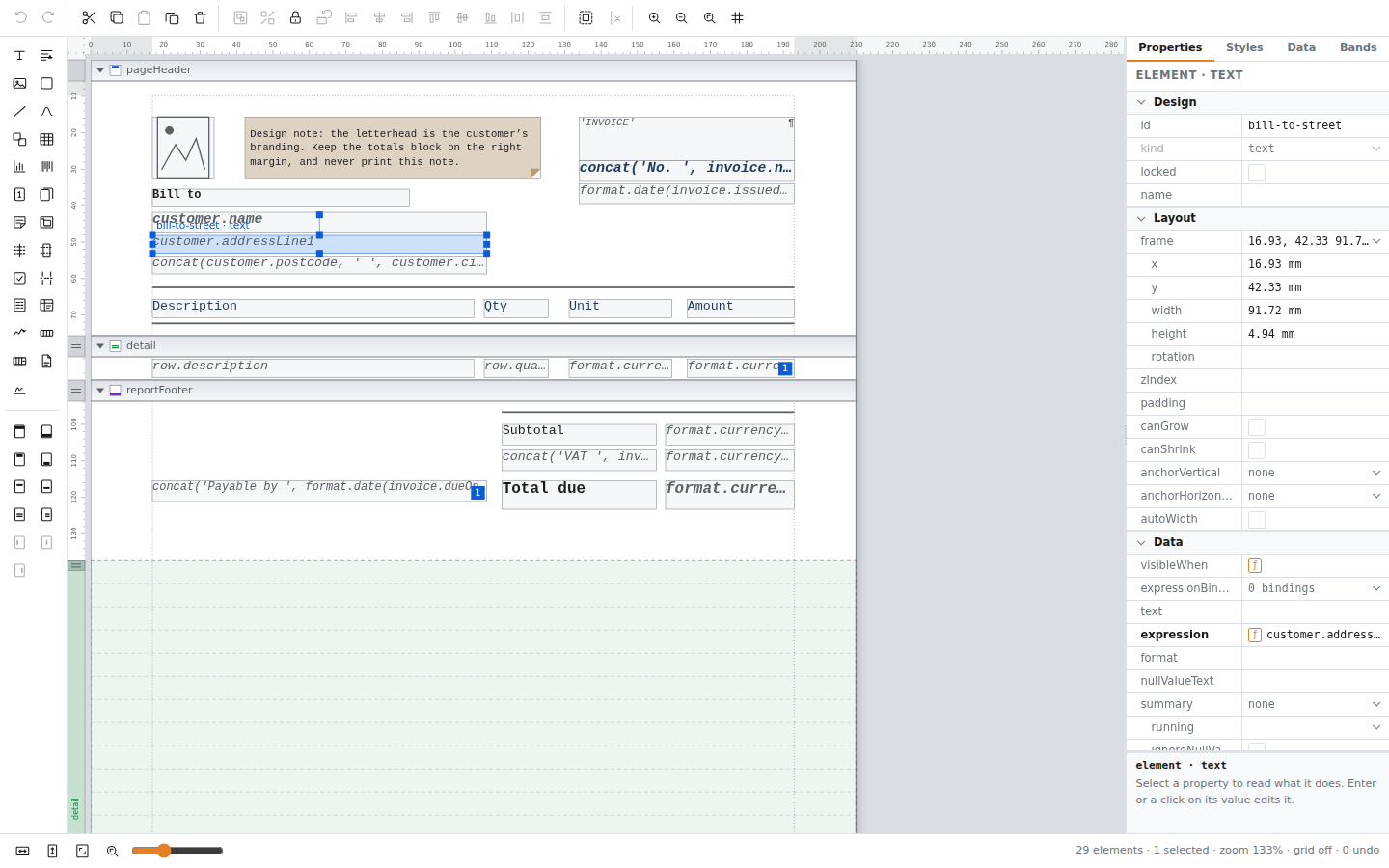
Report header and footer, page header and footer, group headers and footers, and a detail band that repeats for each row of its data source. Bands paginate automatically.
Label designer
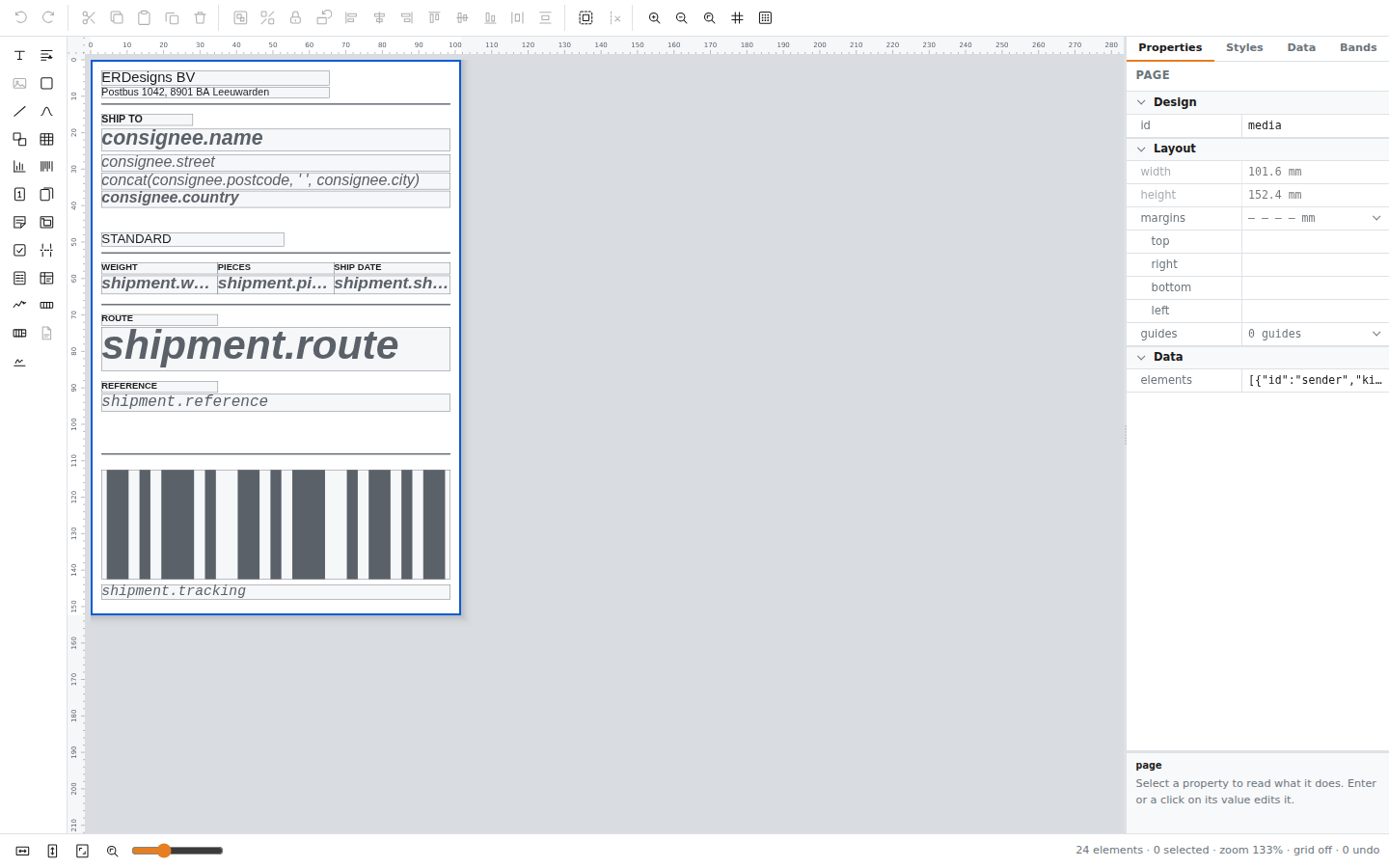
The same embedding mounted as a label designer, for ZPL, TSPL, EPL2 and DYMO labels with the label stock in millimetres and the print head density.
Barcodes, charts and tables
Seventeen barcode kinds, charts, tables, rich text and images, placed on a canvas with a property grid, styles and conditional formatting rules.
Expressions, not code
Values and formulas are expression strings such as row.total. A template never contains code, so storing and rendering templates from your users is safe by design.
Your house style
Colour tokens for the canvas, CSS variables for the chrome, light and dark mode, and a composition option that hides the tools you do not want to offer.
You own storage and access
The designer imposes no storage backend. Authentication, authorisation, template persistence, assets, fonts and sample data stay with your application.
The designer
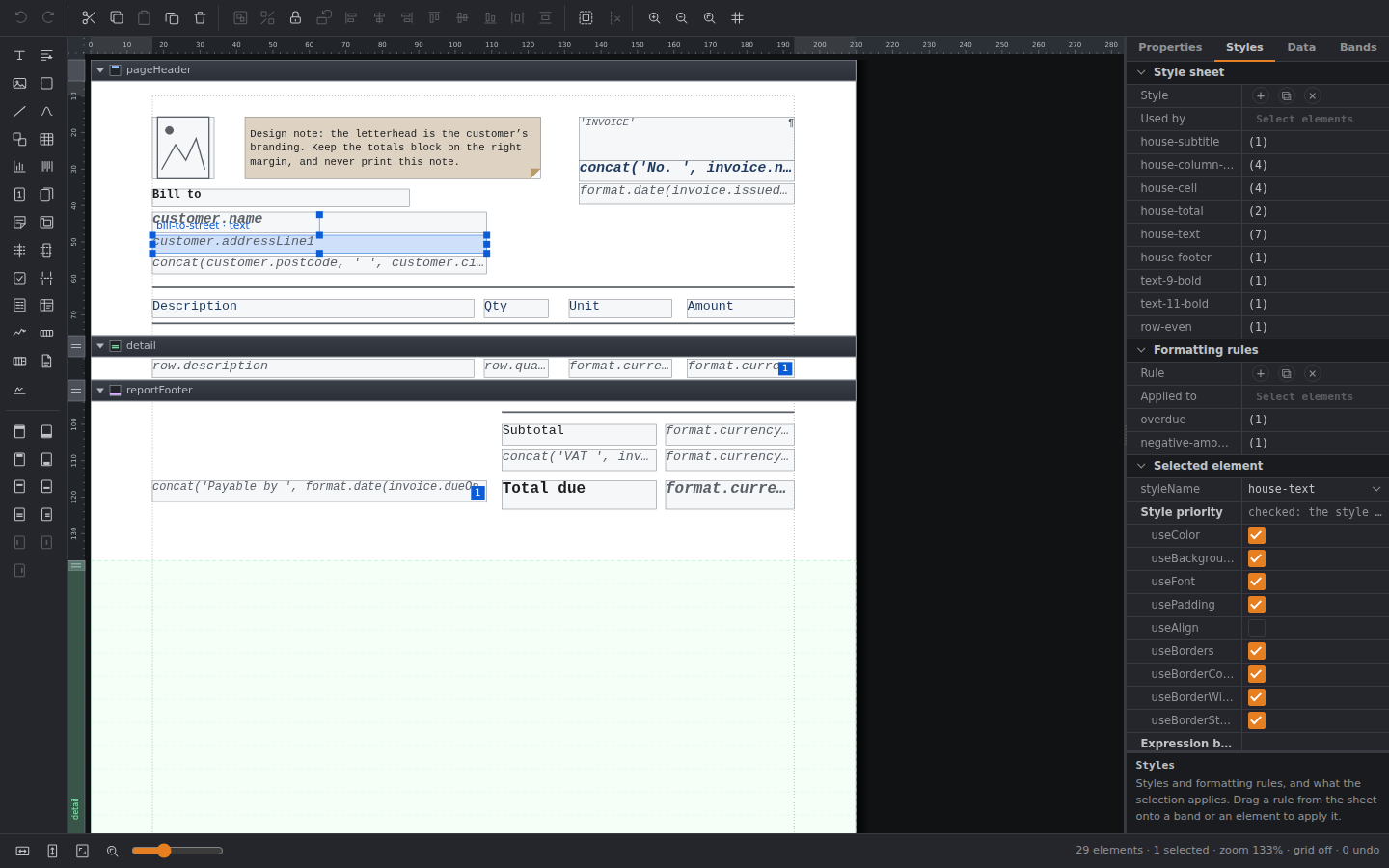
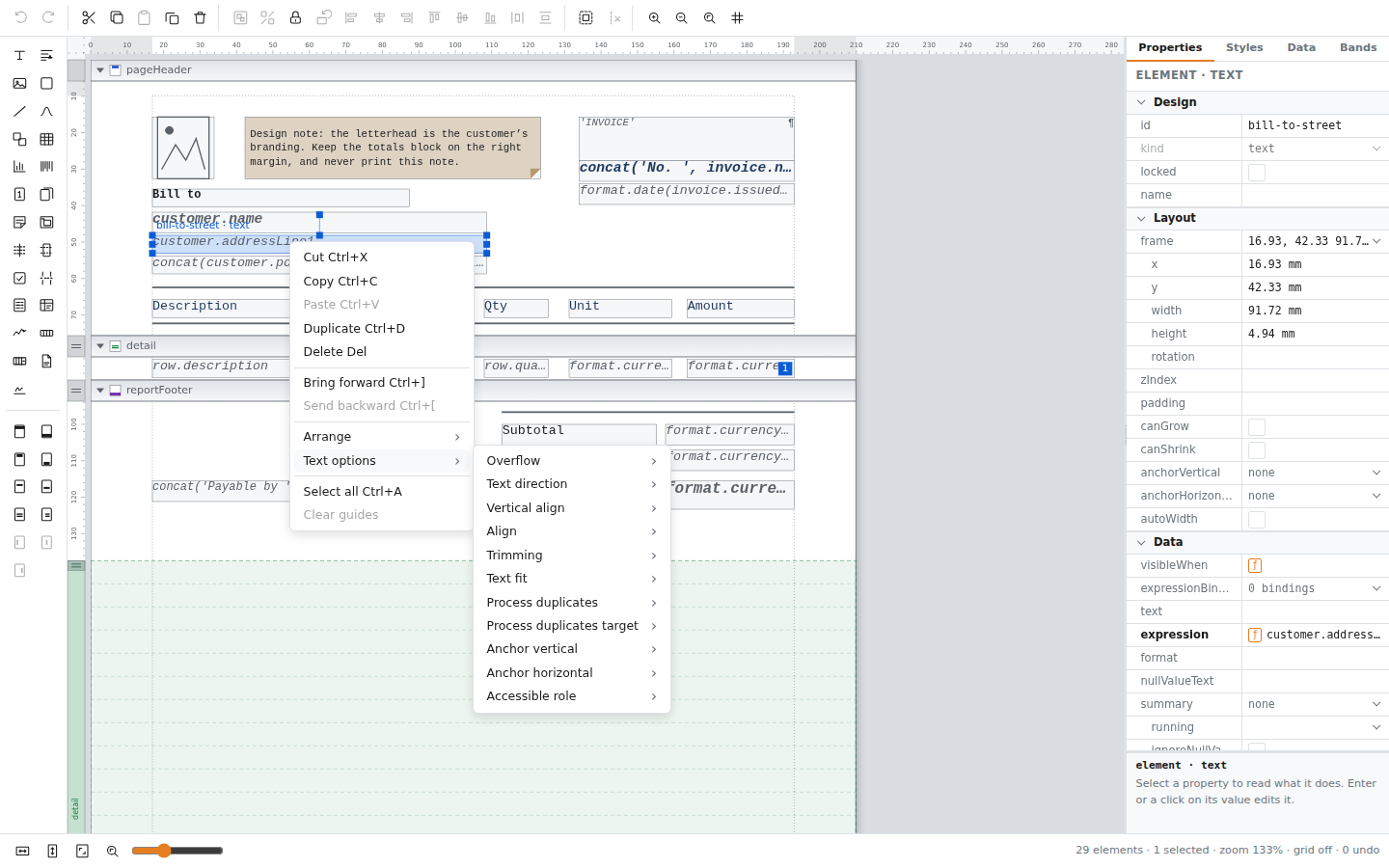
A full report designer in the browser: palette, canvas with rulers and band rows, a property grid, styles, data bindings and context menus. Light and dark mode follow your page.
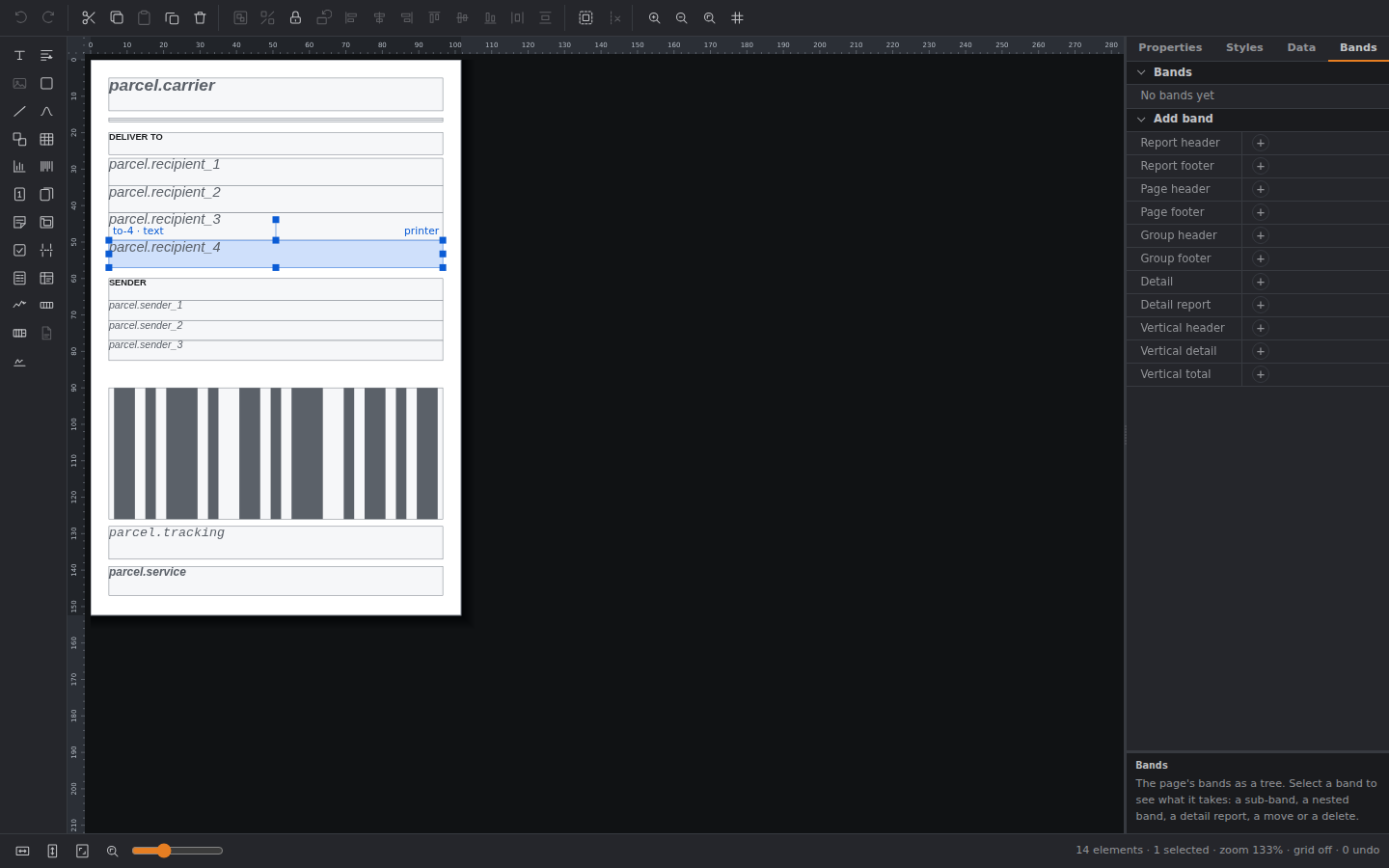
The label designer
The same embedding mounted in label mode: a label on its stock in millimetres, drawn for ZPL, TSPL, EPL2 or DYMO, with the print head density the printer uses.
Real output
Invoice
Download the sample invoice to see how a report designed in ERD-Report Designer looks as a PDF, ready to share or print.
Download PDFInvoice
Explore the same invoice in Word format, with an editable layout you can open in Microsoft Word or another compatible editor.
Download DOCXInvoice
Explore the same invoice in Excel format, with an editable layout you can open in Microsoft Excel, Google Docs or another compatible editor.
Download XLSXShipping Label
Download the sample shipping label in ZPL format to inspect the generated printer commands or try it with a compatible label printer.
Download ZPLHow it works
Mount the designer
Load report-designer.js and report-designer.css from your own origin and call ErdReportDesigner.mountReportDesigner on an element.
Your users design
They build a report or label on the canvas. documentJson() returns the template as JSON, ready for your own storage.
Send template and data
Your server posts the template and the data to ERD Report Cloud with its API key. The key never reaches the browser.
Get the document
The response is the finished PDF, DOCX, XLSX, HTML, PNG, JPEG, WebP or label bytes.
The designer is for embedding in your own website and is not charged for separately.
Rendering uses the ERD Report Cloud service, which needs an API key - contact us for a trial and pricing.
The renderer itself is ERDesigns server-side software and is not distributed for normal customer use.
If you require a private cloud or on-premise deployment, please contact us for pricing and options.
Host the designer script with your application; do not publish it on a public CDN.
Download
Frequently asked questions
Does the designer render PDFs in the browser?
No. The browser script designs templates. Rendering happens on your server through the ERD Report Cloud render API.
What does the designer cost?
The designer is for embedding in your website and is not charged for separately. Rendering uses ERD Report Cloud, which needs an API key: contact ERDesigns for a plan and a key.
Do I get the renderer?
For trials and small-scale use, the renderer is hosted by ERDesigns and is not distributed. Your server sends templates and data to ERD-Report Cloud and receives the finished document. On-premise and private cloud deployments may be available for selected use cases. Contact ERDesigns to discuss your requirements.
Can i get a free trial for ERD-Report Cloud?
Yes! Contact ERDesigns to request a free trial and explore what ERD-Report Cloud can do for your application.
Do I need a framework or a bundler?
No. The designer is one classic script and one stylesheet with no dependencies. Applications with a bundler or written in TypeScript can use the package build instead.
Can I restyle the designer?
Yes. The chrome is restyled through CSS variables, the canvas through colour tokens for light and dark mode, and the composition option hides the tools you do not want to offer.
Where are templates stored?
In your application. The designer returns the template as JSON and imposes no storage backend.
Which browsers are supported?
Evergreen Chromium, Firefox and Safari.
Can the designer design labels?
Yes. A template carries a target of paper or label. A label targets ZPL, TSPL, EPL2 or DYMO with the label stock and print head density, and the same embedding mounts as a label designer.